
Envelope Template for Printing Addresses
Print addresses straight onto envelopes with this envelope template, without fiddling with word-processor settings. Choose the envelope size, type your return address and the recipient’s address, adjust the font and position, and print — or print a whole list of envelopes from a mailing list.
- Free to use
- No sign-up
- Runs in your browser
Print an envelope
Envelope & Mailing Template Pack
Word envelope templates for common sizes, printable address labels (30 per sheet), a mailing list workbook and an addressing guide.
- Envelope templates for common sizes (DOCX, PDF)
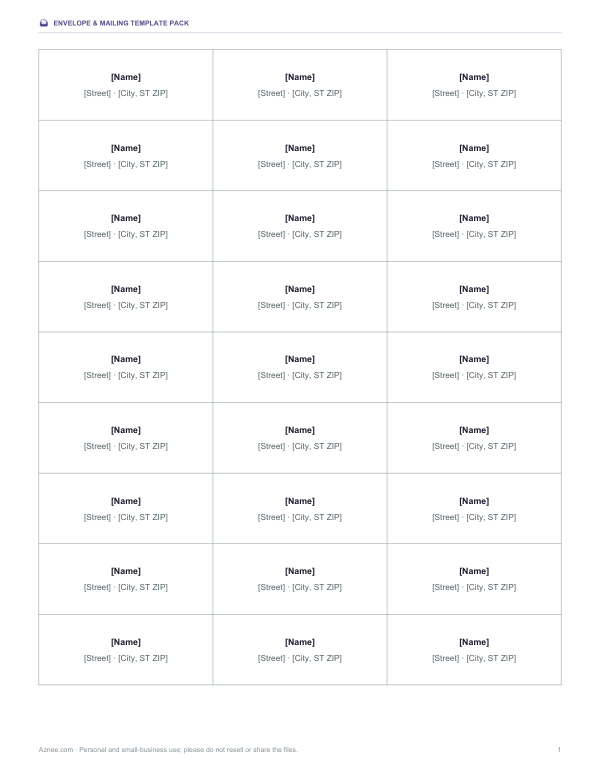
- Address labels, 30 per sheet (DOCX, PDF)
- Mailing list workbook (XLSX)
- Addressing guide (PDF, DOCX)
Formats: DOCX, PDF, XLSX. Instant download after payment (link valid 72 hours, up to 5 downloads). AI-assisted: the templates were drafted with AI help and reviewed and laid out before publishing.
$5.00 USD, one-time 4 files · about $1.25 each
- Instant download
- 7-day refund
- Secure checkout by Stripe
7-day money-back guarantee. Full refund within 7 days of purchase, even after you download.
Free sample: Address Labels 30 Up (PDF, 102 KB)
Full refund within 7 days — see the refund policy and license.
Free printables
Single sheets you can print right now, no sign-up. The full pack adds every sheet in one download plus the editable files.
How to print on an envelope
- Choose your envelope size. #10 is the standard US business envelope; A7 fits a 5 × 7 inch invitation.
- Type the return address and the delivery address (or a mailing list with a blank line between addresses).
- Press Print. In the print dialog, set the paper size to the same envelope size and the scale to 100%; margins “None”.
- Load one envelope as your printer's manual shows — usually face up or face down with the flap to one side. Many printers show a small envelope icon on the tray.
- Print a test on a sheet of paper cut to the envelope size, or on a spare envelope, before a large run.
If the delivery address is slightly off-centre on your printer, use the nudge setting to move it left or right.
Standard envelope sizes
| Envelope | Size | Common use |
|---|---|---|
| #10 | 4⅛ × 9½ in | Business letters, bills, folded Letter paper |
| #9 | 3⅞ × 8⅞ in | Return envelopes that fit inside a #10 |
| #6¾ | 3⅝ × 6½ in | Personal letters, payments |
| A7 | 5¼ × 7¼ in | 5 × 7 invitations and cards |
| A6 | 4¾ × 6½ in | 4 × 6 photos and cards |
| A2 | 4⅜ × 5¾ in | RSVP cards, note cards |
| C5 | 162 × 229 mm | A5 or folded A4 (international) |
| DL | 110 × 220 mm | A4 folded in thirds (international) |
How to address an envelope correctly
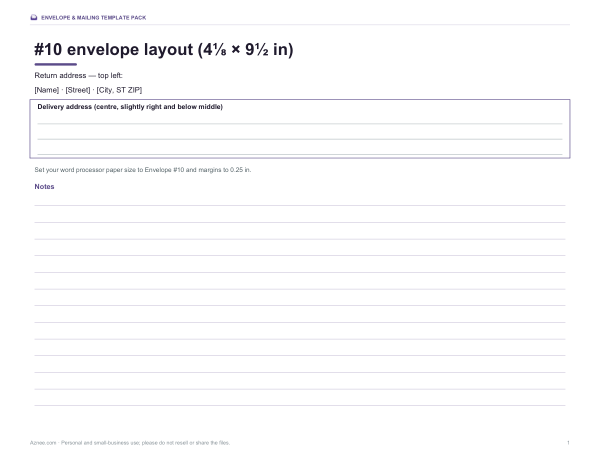
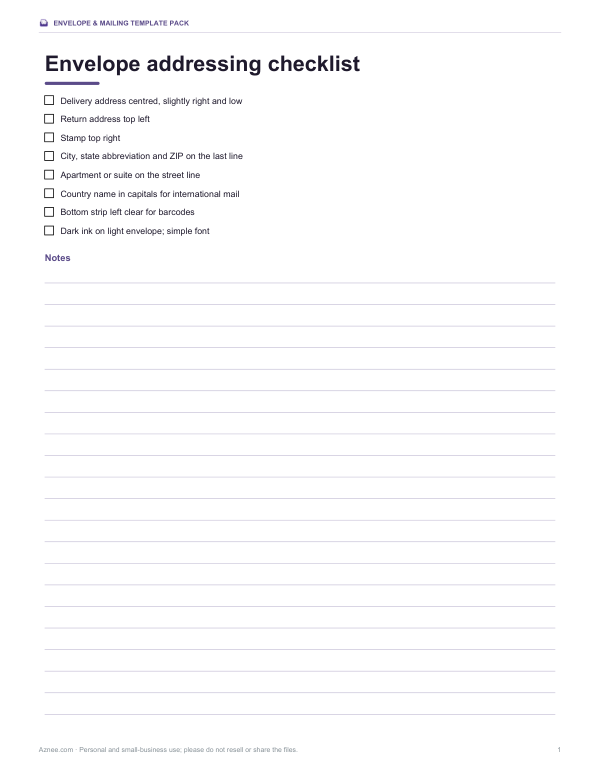
- Put the delivery address in the centre of the envelope, slightly to the right and below the middle.
- Put the return address in the top-left corner.
- Place the stamp in the top-right corner.
- In the US, the last line is city, two-letter state abbreviation and ZIP code, such as “Denver, CO 80202”.
- Include apartment, suite or unit numbers on the street line.
- For international mail, write the destination country in capital letters as the last line.
- Leave the bottom strip clear; postal machines print barcodes there.
Addressing guidelines for automated mail
Postal services sort letters with optical scanners, so clear printing speeds delivery. The US Postal Service recommends dark ink on a light envelope, a simple font of at least about 8–10 point, left-aligned lines, and no punctuation beyond what is needed. Many business mailers use all capitals, but upper and lower case are acceptable. Keep the address parallel to the long edge of the envelope, and avoid script fonts for the delivery address on large mailings — they can slow automated reading. Script works well for wedding invitations, which are often hand-processed.
Worked example
For a #10 business envelope, Jordan Lee's return address sits in the top-left corner at 9.5 point, and Ms. Priya Shah's address in 13-point sans serif about 4 inches from the left edge and a little below the centre. The print dialog is set to “Envelope #10”, scale 100% and no margins, and one envelope is loaded in the rear feed slot with the printing side up as the printer manual shows. For a list of 40 invitation addresses on A7 envelopes, the addresses are pasted into the mailing list box with a blank line between them and printed in batches of ten.
Printer tips
- Use the rear or manual feed slot for envelopes if your printer has one; it keeps the path straighter.
- Laser printers can wrinkle or seal some envelopes because of heat; use envelopes rated for laser printers.
- Adjust the paper guides so the envelope feeds straight.
- Print a handful at a time rather than stacking many envelopes.
- If the text prints upside down, rotate the envelope 180° or flip the flap side.
Mail merge versus the mailing list box
Word processors offer mail merge, which pulls names and addresses from a spreadsheet into an envelope template. It is powerful but takes setup. For a few dozen envelopes, pasting the list into the box above and printing is usually faster. For hundreds, keep the addresses in the mailing list workbook from the pack, sort and check them there, then either paste them in batches or use your word processor’s merge feature with the included envelope template.
Envelopes for invitations and greeting cards
For weddings, parties and holiday cards, matching the envelope to the card size matters: a 5 × 7 card goes in an A7 envelope, and a 4 × 6 card in an A6. Script fonts look elegant for invitations; keep them large enough to read, and check with your postal service if square or unusually rigid envelopes need extra postage. For formal invitations, spell out words such as Street and Avenue, and use full names with titles on the delivery address.
Frequently asked questions
What size is a standard envelope?
In the US, the standard business envelope is #10, 4⅛ × 9½ inches.
How do I print envelopes on my printer?
Set the paper size to your envelope size in the print dialog, scale 100%, and feed the envelope as your printer manual shows.
Where does the return address go?
Top-left corner. The delivery address goes in the centre and the stamp in the top-right corner.
Can I print a list of envelopes?
Yes. Paste addresses into the mailing list box with a blank line between each.
What envelope fits a 5 × 7 invitation?
An A7 envelope (5¼ × 7¼ inches).
Is my address list saved?
No, it stays in your browser only while the page is open.
Can I print on A4 paper instead of an envelope?
Yes. Print on A4 or Letter paper to test the position, then hold it against an envelope in front of a window to check alignment.
Which envelope fits a folded Letter or A4 sheet?
A #10 envelope takes a US Letter sheet folded in thirds; a DL envelope takes A4 folded in thirds.